
RAM Upgrade Guide
-
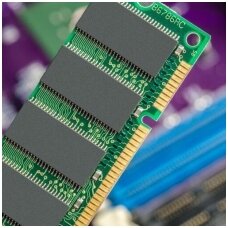
Upgrading your laptop or desktop with higher-speed, higher-capacity RAM modules delivers immediate gains in system responsiveness, multitasking capabilities, and overall performance. Our curated selection of 31 DDR2, DDR3, and DDR4 SODIMM modules—from factory-new Kingston and Crucial sticks to rigorously tested OEM-pulled and third-party compatibles—ensures compatibility with virtually any notebook, mini-PC, or small-form-factor desktop. Whether you choose a budget-friendly used DDR3 4 GB kit or a cutting-edge DDR4 3200 MHz 8 GB module, you’ll experience faster boot and load times, smoother application switching, and extended device longevity. With standard SODIMM form factors, installation is tool-free and takes under five minutes. Backed by expert technical support and EU-wide VAT-inclusive shipping, our RAM upgrades represent the most cost-effective way to breathe new life into aging systems or maximize the potential of modern hardware.
1. Why Upgrade Your RAM?
Upgrading RAM directly addresses one of the most common bottlenecks in modern computing: memory bandwidth and capacity. When system RAM is exhausted, operating systems resort to disk-based paging, drastically slowing performance. Increasing RAM allows multiple heavy applications—such as web browsers with dozens of tabs, virtual machines, and high-resolution photo editors—to run simultaneously without stuttering. Higher clock-speed DDR4 modules (2400–3200 MHz) further reduce latency and improve data throughput, accelerating both OS boot times and application launches. Ultimately, a RAM upgrade is one of the most straightforward, cost-effective ways to extend device lifespan and defer full system replacements.
2. Product Range & Specifications
2.1 DDR4 SODIMM Modules
- 8 GB PC25600 (3200 MHz) – Kingston KF432S20IB/8 (Original New): High-speed, low-voltage DDR4 1.2 V operation for notebooks and ultrabooks.
- 16 GB PC21300 (2666 MHz) – Kingston KF426S15IB1/16 (Original New): Ideal for content creation and multitasking on modern laptops.
- 4 GB PC4-19200 (2400 MHz) – Samsung, Hynix, Crucial (Original Used): Cost-effective capacity boosts for entry-level systems.
2.2 DDR3 SODIMM Modules
- 4 GB PC3-12800 (1600 MHz) – Kingston, G.Skill (Original Used/New): Standard upgrade for older laptops.
- 4 GB PC3-10600 (1333 MHz) – Ramaxel, Micron, Hynix (Original Used): Broad compatibility with legacy hardware.
2.3 DDR2 SODIMM Modules
- 2 GB PC2-5300 (667 MHz) – Micron (Original Used): Essential for revitalizing early-2000s laptops.
- 2 GB PC2-6400 (800 MHz) – Hynix (Original Used).
All modules conform to JEDEC standards for voltage, timings, and form factor.
3. Quality Tiers
- Original (New): Factory-sealed sticks with full manufacturer warranties.
- Original (Used): OEM-pulled from surplus devices, rigorously tested for capacity, speed, and error-free operation.
- Compatible: Third-party modules matching OEM timings and voltages, offering budget-friendly upgrades.
4. Benefits of Upgrading
4.1 Smooth Multitasking
Additional RAM eliminates bottlenecks when running simultaneous workloads—office suites, web browsing, video conferencing, and more.
4.2 Faster Load and Boot Times
High-speed DDR4 reduces page-fault penalties and cache misses, delivering up to 30 percent faster boot times compared to stock DDR3 configurations.
4.3 Improved Application Performance
Memory-intensive tasks—such as photo editing, 3D rendering, and database querying—scale nearly linearly with added RAM capacity.
4.4 Extended Device Lifespan
Revitalizing older systems with DDR3/DDR2 upgrades can delay end-of-life disposal by several years, maximizing ROI.
5. Installation Made Easy
Laptop SODIMMs install in under five minutes:
- Power down and disconnect all cables.
- Open the memory compartment (typically via a single Phillips screw).
- Insert the SODIMM at a 45° angle, then press down until it clicks into place.
- Replace cover and power on.
No soldering or BIOS tweaks required; most systems auto-detect new modules.
6. Market Trends
The DDR4 SODIMM market was valued at USD 8.2 billion in 2024 and is projected to reach USD 12.5 billion by 2033, growing at a CAGR of 5.1 percent. Meanwhile, the global next-generation memory market—including DDR5, MRAM, and ReRAM—is poised for double-digit CAGR growth through 2030. Despite the transition to DDR5, DDR4 remains dominant in the laptop segment due to its balance of cost, performance, and availability.
References
ATP Electronics, Inc. (n.d.). Key difference between DDR4 and DDR3 RAM. Retrieved from https://www.atpinc.com/blog/ddr4-vs-ddr3-differences-advantages atpinc.com
Corsair. (2024). What are the benefits of having more memory? Retrieved from https://www.corsair.com/us/en/explorer/diy-builder/memory/what-are-the-benefits-of-having-more-memory/ CORSAIR
Precedence Research. (n.d.). DDR4 SODIMM market size, industry development & forecast. Retrieved from https://www.precedenceresearch.com/next-generation-memory-market Precedence Research
Verified Market Reports. (2024). DDR4 SODIMM market size & forecast. Retrieved from https://www.verifiedmarketreports.com/product/ddr4-sodimm-market/ Verified Market Reports
Corsair. (2024). The benefits of upgrading your computer’s RAM: Is it worth it? Retrieved from https://askcomputers.ca/news/the-benefits-of-upgrading-your-computers-ram-is-it-worth-it/ askcomputers.ca
Kingston Technology. (2024). Upgrading RAM for HP, Dell, Lenovo and Acer laptops and desktops. Retrieved from https://www.kingston.com/en/blog/pc-performance/ram-upgrade-for-hp-dell-lenovo-acer Kingston Technology Company
Crucial. (2023). Crucial DRAM install guide. Retrieved from https://www.crucial.com/content/dam/crucial/dram-products/dram-family/documents/installation-guides/crucial-dram-install-guide-en.pdf Crucial
TechRadar Pro. (2025). Rising prices of DDR4, DDR5, GDDR6 RAM set to cause havoc on PC, smartphone and GPU prices. Retrieved from https://www.techradar.com/pro/rising-prices-of-ddr4-ddr5-gddr6-ram-set-to-cause-havoc TechRadar
Grand View Research. (2024). Next generation memory market size & share report, 2030. Retrieved from https://www.grandviewresearch.com/industry-analysis/next-generation-memory-market Grand View Research
Tom’s Hardware. (2025). The end of an era: DDR4 production to essentially end this year. Retrieved from https://www.tomshardware.com/pc-components/ddr4/the-end-of-an-era-ddr4-production Tom's Hardware
Market Research Intellect. (2024). DDR4 SODIMM market size, share & future trends analysis 2033. Retrieved from https://www.marketresearchintellect.com/product/ddr4-sodimm-market/ Market Research Intellect
