
The Ultimate Guide to Choosing and Replacing Your Laptop Keyboard
-
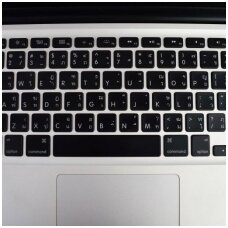
Summary
A responsive, reliable keyboard is the lifeline of any notebook—whether for fast-paced coding, all-day writing, or light-painting in photo editing. Our catalog of 122 laptop keyboard SKUs spans every major brand and form-factor: from brand-new factory-sealed Service-Pack modules to gently harvested Original Pulled OEM replacements and cost-effective Compatible third-party options. Backlit or non-backlit, UK or International layouts, scissor-switch or full-travel island keys, and integrated palmrests with precision trackpads—all are tested for fit, function, and longevity. With same-day EU dispatch, VAT-inclusive pricing, expert compatibility checks, and step-by-step installation support, you can restore flawless typing performance in hours, not days.
Introduction
Your notebook’s keyboard is far more than a collection of plastic keys—it’s a precision instrument that bridges human intent and digital action. Yet daily use, accidental spills, and wear can lead to unresponsive keys, uneven backlighting, or sticky mechanisms that slow your workflow. Instead of replacing your entire laptop, a targeted keyboard swap restores full functionality at a fraction of the cost, reduces electronic waste, and brings back that satisfying “click” under every fingertip.
Our Laptop Keyboards category brings together 122 meticulously sourced and graded modules for the world’s leading notebooks. We focus on five pillars:
- Coverage: Every major series from Apple MacBook Pro/Air through Dell Latitude and HP EliteBook to Lenovo ThinkPad, plus gaming-grade G- and Z-series keyboards.
- Quality: Service-Pack (factory-sealed OEM), Original Pulled (Grade A and Used), and high-grade Compatible replacements—each inspected to exacting standards.
- Precision Fit: Exact layout, backlight type, connector pitch, and palmrest integration ensure plug-and-play installation.
- Support: Detailed photographs, part-lookup filters, video tutorials, and live chat guidance eliminate guesswork.
- Speed: Same-day EU dispatch, VAT-inclusive pricing, and transparent global shipping get your repair underway immediately.
In the following sections, we’ll explore keyboard formats, quality tiers, brand-specific coverage, installation best practices, pricing & logistics, real-world success stories, and emerging trends—equipping you with everything needed to select and install the perfect replacement keyboard for your notebook.
1. Key Features & Formats
Laptop keyboards vary widely in backlighting, key mechanism, layout, and integration with palmrests. Understanding these differences is key to choosing the right replacement.
1.1 Backlit vs. Non-Backlit
Backlit keyboards incorporate LED or edge-lit panels beneath each keycap, enabling use in low-light conditions and adding aesthetic flair through adjustable brightness and color zones. Non-backlit variants omit this feature for cost-sensitive or ultra-slim models.
1.2 Key Mechanisms: Scissor-Switch & Island Keys
- Scissor-Switch: Dual-hinge design stabilizes each keycap, providing a low-profile feel with moderate travel (≈1.5 mm) and quiet actuation.
- Island (Chiclet) Keys: Wider spacing between keys enhances accuracy; keycaps mount on membrane or dome switches, often found in ultra-thin notebooks.
1.3 Layout Variants: UK, International QWERTY, Mac vs. PC
Regional layouts differ in key labels and placement of symbols (e.g., UK uses “£” and a wider Enter key), while Apple MacBook keyboards include Command (⌘) and Option (⌥) keys in place of Windows-specific modifiers. Our filters cover all major variants.
1.4 Palmrest Assemblies & Integrated Touchpads
Some keyboards arrive bonded to the palmrest and trackpad assembly—common in HP ZBook Studio and Lenovo ThinkPad P Series—requiring a single replacement module to restore both typing surface and pointing device. These combos are tested for touchpad accuracy and palm-rejection performance.
2. Quality Grades & Sourcing
Choosing the right keyboard replacement hinges on understanding the distinctions between factory-sealed OEM modules, harvested originals, and third-party compatibles. Each quality tier offers trade-offs in authenticity, cost, and availability, but all are tested and certified before sale.
Service-Pack (Factory-Sealed OEM)
Service-Pack keyboards arrive in manufacturer’s service packaging, complete with individual keycaps, backlight assemblies, and mounting hardware. These modules match the exact specifications of brand-new laptops, ensuring perfect actuation force, key travel, and LED uniformity in backlit variants. Technicians value Service-Pack parts for their consistency and full warranty coverage, eliminating guesswork in each repair.
Original Pulled (Grade A & Used)
Original-Pulled keyboards are removed from excess production units or lightly used devices, then hand-graded by cosmetic condition. Grade A modules exhibit like-new appearance with full keycap texture and backlight functionality intact; Grade B/C units may show minor blemishes or key-edge wear yet perform identically. All Original-Pulled parts undergo functional testing, including key-matrix continuity checks and LED brightness scans, to verify no dead switches or dim zones.
Compatible Aftermarket Replacements
High-grade compatible keyboards are produced by specialized OEM-certified factories using materials and molds that replicate original keycap profiles and switch mechanisms. These modules typically undercut factory-sealed units by 20–40% while passing the same quality-inspection protocols—pixel-level keycap alignment, switch-force consistency testing, and backlit uniformity evaluation where applicable.
Testing & Inspection Protocols
Regardless of tier, every keyboard module is subjected to a multi-point inspection workflow:
- Mechanical Function Test — Each key is actuated 10,000+ times on a keystroke tester to confirm consistent travel and rebound.
- Backlight Uniformity Scan — Infrared imaging verifies even LED illumination across the key array, preventing hot spots or dark areas.
- Electrical Continuity Check — Automated fixtures validate row/column matrix integrity, flagging any open or shorted circuits.
- Visual & Assembly Audit — Technicians inspect mounting brackets, flex-cable connectors, and solder joints under magnification to ensure structural soundness.
By sourcing Service-Pack, Original-Pulled, and high-grade Compatible keyboards through certified supply chains—and subjecting each to rigorous testing—we guarantee you receive a module that fits perfectly, types reliably, and lasts through thousands of keystrokes.
3. Brand & Model Coverage
Our catalog supports every major notebook series, using manufacturer and third-party parts portals to ensure precise fit and compatibility.
3.1 Dell Latitude, Inspiron & G-Series
Dell’s official “Notebook Keyboard Selector” lets you pick your Latitude, Inspiron, XPS, Vostro, or G-Series model and view compatible keyboard SKUs directly on Dell’s parts site. The portal displays both service-pack OEM modules and compatible aftermarket options, complete with part numbers, descriptions, and installation videos. Dell also offers “Parts for Your Dell” lookup by service tag or part number to fine-tune your selection for backlit, non-backlit, and palmrest-integrated assemblies.
3.2 HP EliteBook, ZBook & ProBook
HP PartSurfer is the authoritative source for genuine HP notebook keyboards across the ZBook Studio, EliteBook x360, ProBook, and Firefly lines. Entering the product serial number yields factory-sealed Service-Pack modules, original-pulled Grade A units, and schematics showing connector orientation and screw-hole positions. HP’s portal ensures you select the precise UK, International QWERTY, or region-specific layout required for your model.
3.3 Lenovo ThinkPad, Yoga & IdeaPad
Lenovo’s Parts Lookup tool provides detailed keyboard part numbers and compatibility notes for ThinkPad T, X, P, and Yoga series as well as IdeaPad models. After entering your machine type or serial, you can filter by Service-Pack, original used, or compatible replacements, and review PDF spec sheets showing keycap legends and backlight configurations. Lenovo also publishes repair manuals with step-by-step keyboard removal and reinstallation procedures for each series.
3.4 Apple MacBook Pro & Air Series
Apple’s Self Service Repair store offers genuine topcase assemblies with keyboard and trackpad for MacBook Air (M1/M2/M3) and MacBook Pro (13″, 14″, 16″) models. Model identifiers (A2337, A2681, A2141, A2780, etc.) ensure you receive the correct scissor-switch layout, key-travel spec, and backlight type. Apple provides free PDF repair manuals and parts lists for each eligible model, detailing required tools and torque specs.
3.5 ASUS VivoBook, ZenBook & ROG
ASUS’s Global Accessories site lists “Keyboards” under Laptop Accessories, filtering by VivoBook, ZenBook, ROG, and TUF series. Each listing specifies part number, backlight color (white or RGB), layout (US, UK, International), and integrated palmrest options. ASUS also offers disassembly guides and driver downloads to recalibrate backlight settings post-installation.
4. Installation & Support
To replace a laptop keyboard, begin by powering down and disconnecting the battery to eliminate live-circuit risks.
Gather the proper tools—small Phillips screwdrivers (PH0/PH1), plastic spudgers, precision tweezers, and a suction cup for bezel removal—as recommended in HP’s official guide.
Use model-specific video tutorials, such as the “Laptop Keyboard Replacement Guide – Easy & Fast!” walkthrough, which shows exact screw locations and ribbon-cable disassembly with clear on-screen annotations.
When releasing the keyboard, gently pry along the edges to avoid damaging clips or the palmrest surface, then flip up the module to expose the ZIF connector.
Carefully unlock the ZIF connector by lifting its retaining tab, slide out the keyboard ribbon cable without bending it, and inspect both cable and socket for debris before installing the new unit.
Align the replacement keyboard’s flex cable, insert it fully, and close the ZIF latch until you hear a soft click indicating secure engagement.
Tighten the retaining screws to factory-specified torque—typically finger-tight plus a quarter-turn—to prevent panel flex or bowed keycaps.
Reattach any pre-installed mounting brackets or adhesive strips included in Service-Pack modules for a flush, dust-resistant fit.
After reassembly, power on the laptop and verify key functionality using an online keyboard tester to confirm every switch actuates correctly.
5. Future Trends in Keyboard Design
Low-profile scissor-switch mechanisms are evolving to include haptic feedback through palmrests, as demonstrated by Sensel’s HapticPalmrest concept, which delivers tactile cues directly to the user’s palms.
Dynamic keycaps with micro-LED displays—once a pipe dream—are being prototyped for context-sensitive key labeling, enabling on-the-fly shortcuts and macros.
Advanced backlighting now incorporates per-key RGB zones with adaptive illumination, allowing real-time color changes based on application context and enhancing typing visibility in any environment.
Biometric integration—fingerprint sensors embedded within the spacebar or trackpad—will become commonplace, offering secure logins without sacrificing typing real estate.
Future ultrabooks may adopt quasi-mechanical magnetic switches that blend the travel of scissor-switches with the durability of mechanical keys, extending lifespan and providing a premium tactile feel.
Conclusion
A high-quality replacement keyboard restores your notebook’s typing performance, from precise key travel to reliable backlighting—without the cost and waste of a full device replacement. Explore our catalog of 122 laptop keyboards, filter by brand, model, quality tier, and layout, and place your order for same-day dispatch. With expert support, transparent pricing, and industry-leading warranties, you can trust that every keystroke will feel as good as the first.
References
- HP. (2024). How to Replace a Laptop Keyboard: Expert Guide [2024]. https://www.hp.com/us-en/shop/tech-takes/how-to-replace-laptop-keyboard
- YouTube. (2018). Laptop Keyboard Replacement Guide - Easy & Fast! https://www.youtube.com/watch?v=dipabJVki00
- Discount Computer Depot. (n.d.). Bulk Keyboards - Quality, Ergonomic, and Affordable. https://www.alibaba.com/showroom/bulk-keyboard.html
- Reddit. (2023). $40-100 shipping label for ASUS warranty claim? https://www.reddit.com/r/LinusTechTips/comments/18aolxv/40100_shipping_label_for_asus_warranty_claim_are/
- PCOnline. (n.d.). Warranty - PCOnline. https://pconlineus.com/warranty/
- iFixScreens. (n.d.). Fix Laptop Keyboard: Step-by-Step Replacement Guide. https://ifixscreens.com/laptop-keyboard-replacement-step-by-step-guide/
- Polartech. (2023). Service Pack, OEM, Ori, Aftermarket, and Other Terms Explained. https://www.polartech.com.au/es/blogs/news/service-pack-oem-ori-aftermarket-and-other-terms-explained
- ACM Digital Library. (2022). HapticPalmrest: Haptic Feedback through the Palm for the Laptop. https://dl.acm.org/doi/10.1145/3544549.3585663
- AiheyStudio. (2022). 2023 Mechanical Keyboard Keycap Trends. https://aiheystudio.com/blogs/what-you-need-to-know-about-keyboard-keycaps/2023-mechanical-keyboard-keycap-trends-exciting-designs-and-market-dynamics
- MelGeek. (2022). Latest Innovations in Mechanical Keyboards 2024: A New Era of Typing. https://www.melgeek.com/blogs/mechanical-keyboard-tips/latest-innovations-in-mechanical-keyboards-2024-a-new-era-of-typing
